DDR5 memory explained: speed, capacity and what to buy
DDR5 is the current generation of computer memory. It is faster than DDR4 and is required by newer platforms such as AMD’s AM5 socket. Buying it is simpler than the specs suggest: check compatibility, choose enough capacity, and pick a sensible speed.
Check compatibility first
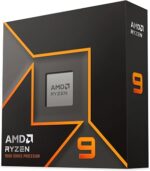
DDR5 and DDR4 use different slots and cannot be mixed. Your motherboard must support DDR5, and most boards support only one type. Check the motherboard’s manual or specifications before you buy. If you are building a new PC with a current AMD Ryzen chip, DDR5 is the normal choice.
Capacity: how much do you need?
- 16 GB: enough for everyday use, browsing and light gaming.
- 32 GB: the sweet spot for gaming, work with many browser tabs, and creative software.
- 64 GB and up: heavy video editing, virtual machines and large data work.
Two sticks of 16 GB (32 GB total) are usually better than one 32 GB stick, because they use two memory channels.
Speed: MT/s and the sweet spot
DDR5 speed is listed in MT/s (for example 5600 or 6000). Higher is faster, but the gain is smaller than the numbers suggest. For AMD AM5 systems, 6000 MT/s with a matching CL30 latency is a common sweet spot. Going much higher often needs more expensive kits and a motherboard that supports them well.
Latency: CL numbers
Latency, shown as CL (for example CL30 or CL36), is the delay before data is returned. Lower is better, but comparing CL between different speeds is tricky. Compare the speed and latency together, or check an independent test.
Kits, not single sticks
Buy a matched kit, sold as a pair, rather than two separate sticks. Matched kits are tested together and avoid stability problems. Look for kits that list support for your motherboard and XMP or EXPO profiles, which enable the rated speed.
Enable the profile
A DDR5 kit often runs at a lower default speed until you enable its profile in the BIOS (XMP for Intel boards, EXPO for AMD boards). Turn the profile on after you install the memory, or you will not get the speed you paid for.
Checklist
- Motherboard supports DDR5.
- 32 GB as a 2 × 16 GB matched kit for most users.
- 6000 MT/s with CL30 or CL36 for AMD AM5.
- Enable the EXPO profile in the BIOS after installing.
DDR5 in products we list
We do not list separate memory kits yet. These machines already use DDR5, so you can see the memory they ship with: